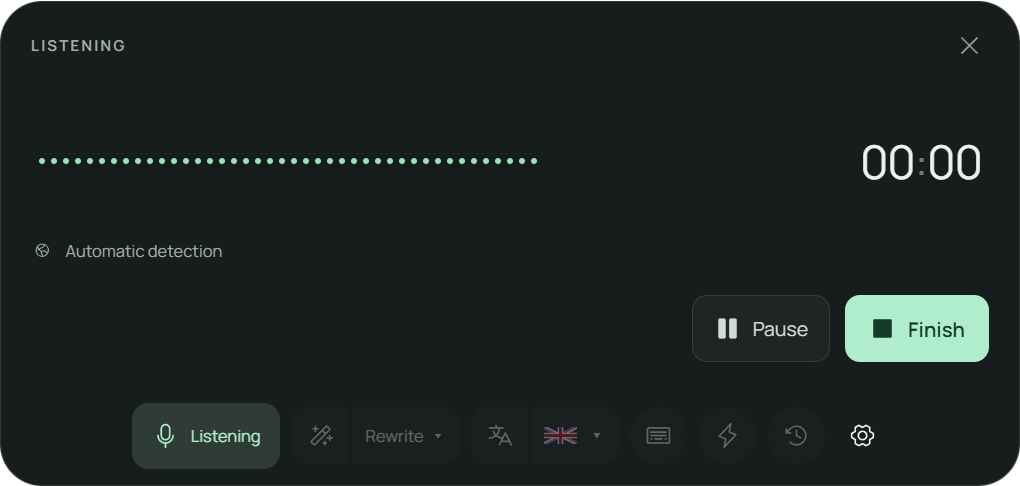
DICTATE. MEYMO WRITES.Keep your train
Keep your train
of thought.
An email, a fleeting idea, a whole page. Say it naturally. Meymo turns your voice into text, right on your computer.
Download for WindowsDownload for Mac
Apple Silicon Macs only (M1 and later) · no Intel version · about 5 GB
Send the link to my PCSend the link to my Mac
See Meymo in actionApple Silicon Macs only (M1 and later) · no Intel version · about 5 GB

FROM A THOUGHT TO A TEXT
Speak. Read. Carry on.
Meymo stays within reach and writes where you work.
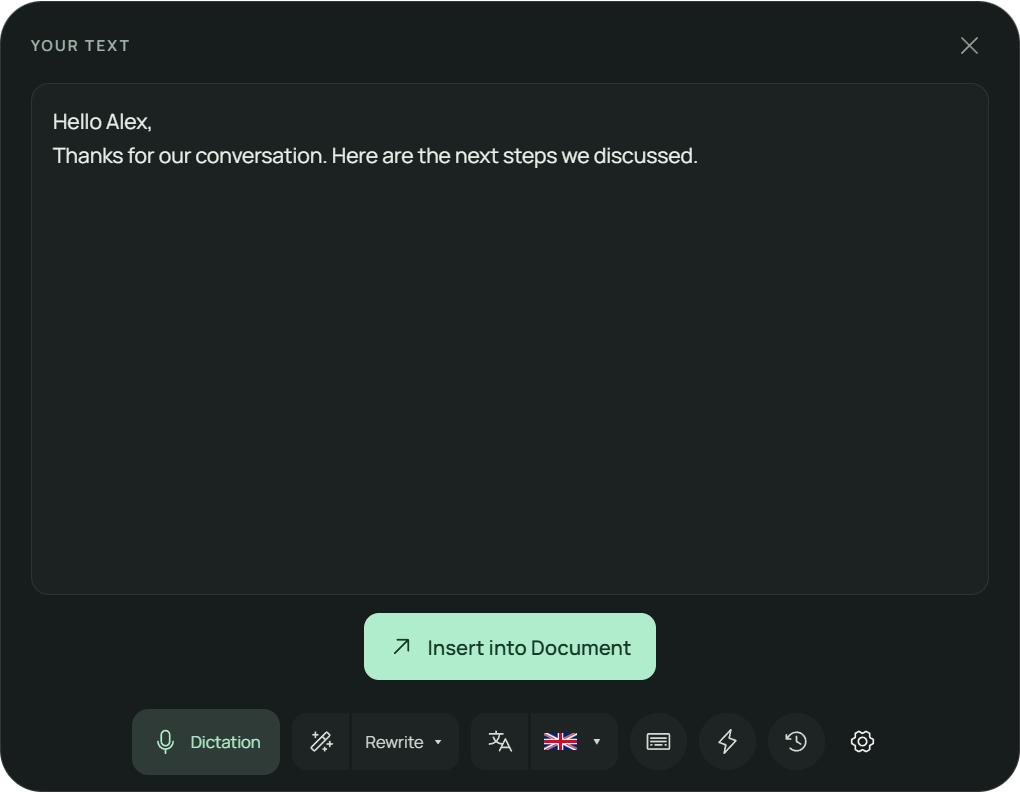
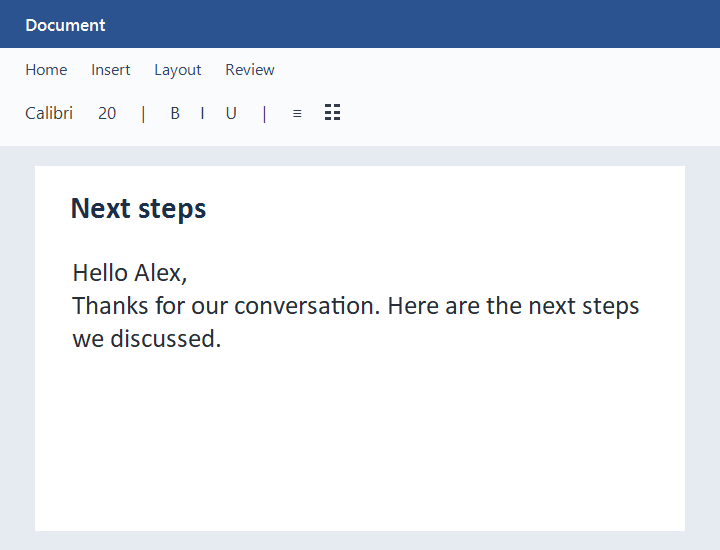
Write in the tools you already use.
Open Meymo. Click in your text field. Speak.
- Word
- Notion
- Gmail
- Slack



- Excel
- PowerPoint
- Google Docs
- Obsidian
- Outlook
- Teams
- Discord
- Signal
- Zoom
- VS Code
- Linear
- Figma
- Raycast
- Chrome
- Edge
- Brave
- Epic
- InDesign













Dictation inserts text into compatible editable fields. Review and check the result in your application.
LESS TYPING. MORE THINKING.
For the words of your day.
To · alex@example.comSubject · Next steps
The email you keep putting off.
Say what matters. Review the wording, then insert it into your email.
Try your first dictationIdea to exploreProject notes
+ New note
The idea you don't want to lose.
Capture it while it is fresh. Find your past dictations in your local history.
Try your first dictationHome · Insert · Layout
Draft
The blank page that won't move.
Get a first draft down. Rewrite, translate or structure it with the desktop tools.
Try your first dictationDo more with your words.
Find the right wording, switch languages, turn a recording into text. Meymo stays with you beyond the first draft.
Correction and rewriting
Find the right words.
Correct, rewrite or shorten text. Create your own modes in Settings; the Rewrite button runs your last selected mode.
Your original stays available. You choose what to insert and whether to save the rewrite.
Dictation and translation
Speak your language. Choose your text’s language.
Dictate in different languages: Meymo detects the spoken language automatically, or you choose it. Need a translation? Choose from 16 output languages.
Dictation keeps your language; translation changes it. Review the result before inserting it.
Audio & video files
Put your recordings into words.
Open a local audio or video file and get a transcript you can edit, search and insert where you need it.
Up to 500 MiB and 2 hours per file, with progress, pause, resume and cancellation. Review the text before inserting it.
Dictionary
Make room for your vocabulary.
Names, abbreviations and professional terms: add your preferred spelling alongside a legal, medical or technical vocabulary library.
Import reference dictionaries too: up to 10,000 terms per collection. Your 500 personal terms take priority over references and the professional library.
History and voice search
Find the idea, even without the exact words.
Type an idea or say it using the history microphone. Meymo searches your dictations by topic, name or meaning, then lets you reuse the text you find.
For example: search for “prepare the meeting” to find your project notes.
Custom actions
Turn spoken notes into a structured text.
Prepare an e-mail, summary, session note or assessment report from the facts supplied. Use a template or your own instructions.
Clinical templates require practitioner review: check facts, scores and conclusions. Missing information remains for you to complete.
Custom keyboard shortcuts
Your gestures. Your shortcuts.
Open Meymo, control dictation and access your actions from the keyboard. Choose the combinations that suit you in Settings.
In Settings › Shortcuts, assign a key or combination to Start / stop dictation: press once to begin, again to finish and transcribe. It is unassigned by default.
Adapted to your PC
The right power for your computer.
Let Meymo automatically choose a profile for your computer, or select Min, Super or Max to suit your needs.
The engines run locally. The profile adjusts resource use; graphics acceleration is used when supported by your hardware.
Pseudonymization
Share text while masking identities.
Replace names, addresses and identifiers with markers, then restore the identities in the reply you receive. The privacy shield runs on your computer.
Review and adjust the masked passages before copying. Correspondence tables stay encrypted locally; nothing is sent automatically.
YOUR WORDS BELONG TO YOU.
On your computer. Under your control.
Your audio, texts and history are processed locally. Your ideas can stay in your own space.
- Local transcription and text processing
- Encrypted history on your computer
- Pseudonymization
- Works offline between licence checks
Account access and licensing require a connection. Reconnect at least every five days. Sending through optional connectors requires an explicit action and a chosen destination. Saving locally never sends anything.
Understand how privacy worksONE PLAN. ALL OF MEYMO.
Make room for your next idea.
- Dictation, rewriting and translation
- Local audio and video transcription
- Pseudonymization and custom dictionaries
- Custom actions and searchable history
- Two activated computers
Try Meymo free for 14 days.No payment card
Then, if you choose to subscribe€14.90/ month
Download for WindowsDownload for Mac
Apple Silicon Macs only (M1 and later) · no Intel version · about 5 GB
Send the link to my PCSend the link to my Mac
Apple Silicon Macs only (M1 and later) · no Intel version · about 5 GB
Your saved texts remain accessible, even without a subscription.
See the plan and account optionsA few things you may be wondering.
Where can Meymo write?
In an editable text field in your applications. Choose your destination, review the result and check the insertion. Some protected fields are not supported.
Which languages does voice recognition support?
Meymo recognises 16 languages: French, English, Spanish, German, Italian, Portuguese, Arabic, Chinese, Japanese, Korean, Russian, Dutch, Polish, Hindi, Turkish and Ukrainian. Choose a language or let automatic detection identify it.
Does it work without the internet?
Dictation and text processing run locally. Account access and licence checks require a connection at least once every five days.
What happens after the trial?
An explicit subscription is needed to keep using the paid features. Your existing texts and their recovery remain accessible.
Is Meymo available on my phone or Mac?
Meymo is available on Windows and Apple Silicon Macs (M1 and later, macOS 14 or newer). There is no Intel or mobile version. On your phone, send yourself the Windows or Mac link to continue on your computer.
Does pseudonymization make my text anonymous?
It replaces detected information with reversible markers; it does not guarantee anonymity. Review the text, mask missed passages and choose what you copy or share. Correspondence tables stay encrypted on your computer.
How do I get help?
Open Settings › Support, even without an active subscription. The technical diagnostic is optional and its exact content is previewed before sending. If Meymo cannot start, use the website Support page.
Can I cancel anytime?
Yes, in Account > Billing. Ordinary cancellation stops renewals without an automatic refund; Pro remains available through the paid period unless a full refund is processed. Processing a withdrawal or full refund ends paid access. Any remaining trial keeps its original end date.
DICTATE. MEYMO WRITES.
Your next text starts with your voice.
Open Meymo. Say your first sentence. Take it from there.
Download for WindowsDownload for Mac
Apple Silicon Macs only (M1 and later) · no Intel version · about 5 GB
Send the link to my PCSend the link to my Mac
Apple Silicon Macs only (M1 and later) · no Intel version · about 5 GB
No payment card